Seoul Live Cam: HongdaeLive Before You Go
Hongdae · Seoul · Before You Head Out
The rain seems to have stopped outside your hotel. Has it stopped in Hongdae, too? You are deciding whether to pack another layer, head out with your child, or leave your checkout-day suitcases somewhere first. Sometimes the useful starting point is a glimpse of the street right now. That is where HongdaeLive comes in.
Short answer For a live street view in Seoul, open the HongdaeLive YouTube channel’s Live tab. Its fixed camera shows one area around Hongik University Station. Check that the broadcast is current, look for umbrellas, clothing and pedestrian movement, then compare those clues with the forecast and your actual route.
What is the HongdaeLive Seoul live cam?
HongdaeLive is a fixed street-camera channel showing the area around Hongik University Station in Seoul. The channel describes its format as a 24/7 4K live cam. Unlike a walking tour that moves through several streets, it lets you return to the same view and watch it change. Official channel
People gather at the crossing and move on when the lights change. Umbrellas open in the rain; after dark, shopfronts and vehicle lights become part of the scene. Before a trip, it is a small window into everyday Seoul. During a trip, it is something to check before leaving the hotel. You can also leave it open while reading or working when you miss the city.
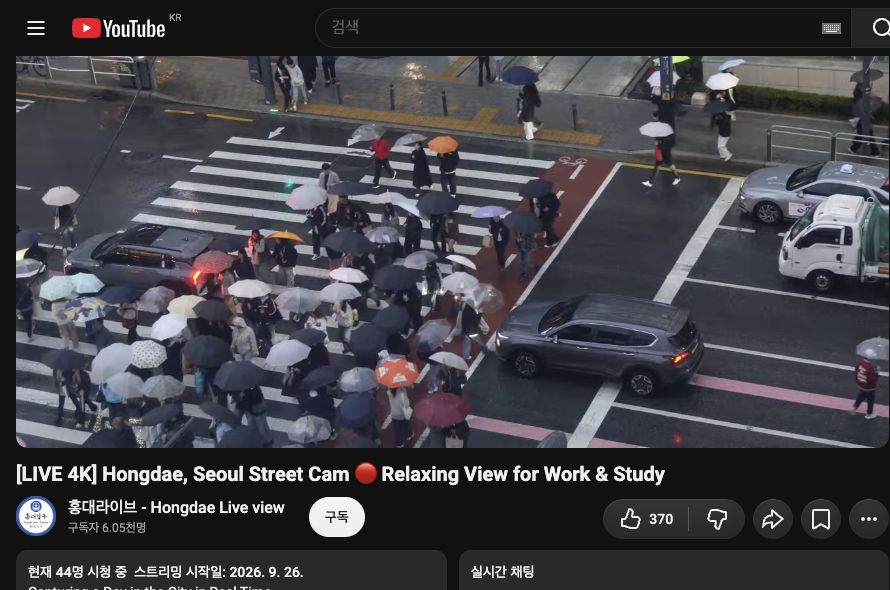
We opened the official broadcast on November 1, 2026, and saw the crossing and pedestrians carrying umbrellas. The images in this article were captured that day. Open the live broadcast to see the current view rather than relying on these stills.
How do you find the Hongdae stream that is live now?
Start with the channel’s Live tab and choose a broadcast marked as currently live. A long video in search results, or an old title containing “LIVE,” does not by itself show that it is broadcasting now.
- Open @hongdaelive’s Live tab.
- Choose the item marked as currently broadcasting.
- If you have paused or rewound, return to the player’s live position.
- If the broadcast has ended, look for a new one on the channel. If none is live, check again later.
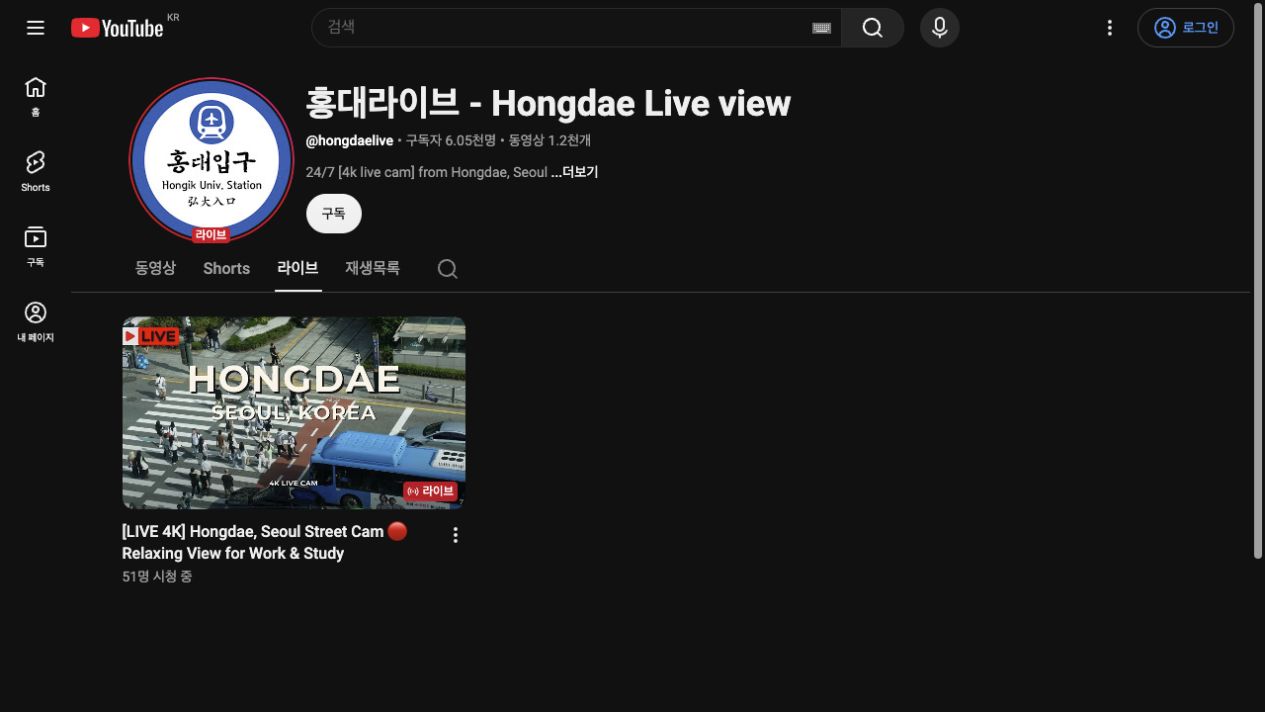
Bookmarking tip Save the channel’s Live tab alongside an individual video link. A restarted broadcast can have a different address. Videos labeled “Live Recording” in the Videos tab are dated recordings: distinguish them from the current stream when checking today’s rain or clothing.
You can also open the Hongdae camera through SeoulWindow’s live page.
01Use the view to prepare
What should you look for before visiting Hongdae?
Look at umbrellas, clothing and movement in the visible area, in that order. Use the view to identify what else you need to check for your plans, rather than trying to count everyone in Hongdae or judge the weather across Seoul.
| Look for in the live view | Connect it to your plans |
|---|---|
| People carrying umbrellas; wet road or pavement | Check your umbrella and shoes, then consult the forecast for rain later |
| The mix of light clothing and outer layers | Check temperature and wind, then dress for your own comfort |
| People crossing and waiting at the lights | Watch several light cycles before drawing an impression from one frame |
| The difference between daytime and evening light | Return at the Korean time when you actually plan to visit |
If your question is “Is it raining in Hongdae now?”, look at both umbrellas and the pavement. The road can stay wet after rain stops, and conditions outside the frame can differ. Check the Korea Meteorological Administration forecast before setting off, too.
Clothing tip Look at several people’s outer layers and umbrellas rather than copying one person’s outfit. A camera cannot tell you the wind speed or how cold you will feel.
What time is it in Korea when you watch from abroad?
Read the Hongdae live view in Seoul time: KST, UTC+9. Your evening might be Seoul’s afternoon or early morning, so check the time before choosing the atmosphere you want to see.
- For a daytime view: open it during Seoul’s daylight hours to look at the street layout and movement.
- For an evening view: return at the evening hour when you plan to visit and compare it with the daytime scene.
- If your trip is still some way off: add Seoul to your world clock and drop in when it suits you.
For example, 20:00 in Seoul is 20:00 in Tokyo, 19:00 in Taipei, Beijing or Singapore, and 18:00 in Hanoi, Bangkok or Jakarta. These examples fall on the same calendar day. Elsewhere, your local daylight-saving changes may alter the difference.
02Turn the preview into a practical visit
How can you adjust a Hongdae visit for rain or luggage?
After watching, make one decision that fits your own travel conditions. It might be shortening an outdoor walk, leaving your bags first, or confirming when you will collect a stroller.
- If rain continues: use the Seoul bad-weather plan to consider indoor stops or shorter journeys. Check the actual opening status with the place you will visit.
- If you have checkout-day suitcases: use the Hongdae short-term luggage-storage price and collection guide to check bag size and your return time. Current service information is on KPLANZ’s luggage-storage page.
- If you are taking a child in a stroller: the pavement in one camera view cannot establish whether the whole route will work. Check station lifts and building entrances separately. If you need to rent, compare Hongdae pickup and hotel delivery.
- If you are changing hotels: use the luggage pickup, storage and delivery checklist to sort out handover places and times first.
Check your visit time HongdaeLive’s broadcast hours and KPLANZ’s opening hours are different. KPLANZ’s regular hours are Monday–Friday, 10:00–17:00 Korea time; weekends, public holidays and visits outside those hours require an appointment. Follow the official location and visit information and the collection or rental-handover time confirmed for your booking.
Watching the camera does not have to lead to a reservation. If it helps you pack an umbrella or decide what to do with your bags, it has already been useful.
What if the picture is blurry or the broadcast has ended?
Check playback quality in the settings; look for a new broadcast on the channel if the old one has ended. Open Settings → Quality to choose an available resolution. A channel’s 4K description does not mean every connection, device or source offers the same playback options. YouTube quality guidance
If the picture seems behind the present after a pause, return to the live position. Streams with DVR enabled can resume from the paused point. Live broadcasts also have transmission delay, so the camera is not a tool for second-by-second checks. YouTube DVR guidance, live-stream latency
Related reading
- A few hours of luggage storage in Hongdae: prices and collection times
- A plan for bad weather in Seoul
- Stroller rental: Hongdae pickup or hotel delivery?
- Luggage pickup, storage and delivery when changing hotels
Sources and images
- HongdaeLive official channel, Live tab and recorded videos — checked online November 1, 2026. Broadcast opened during the check.
- Two screenshots: HongdaeLive / YouTube, captured November 1, 2026. The player screenshot includes the video title and channel name. Copyright remains with the respective owners. The screenshots are not the live feed.
- Korea Meteorological Administration forecast; YouTube guidance on quality, DVR and live-stream latency.
- KPLANZ luggage storage, official location and visit hours and baby-equipment rental — checked online November 1, 2026. Follow the arrangements and times confirmed for your booking.
Contact KPLANZ · Instagram @kplanz.official · kplanz.official@gmail.com